

IMS WorkForce: Archibus in Your Team’s Hands
IMS WorkForce is IMS Consulting’s mobile app for Archibus. Craftspeople, supervisors, requestors and compliance teams report, assign, complete and document work from anywhere. Available for iOS and Android, with IMS.ai built in.
Why Teams Use IMS WorkForce
The Challenge
Field Work Shouldn’t Wait for a Desk
Most facilities work happens in mechanical rooms, on rooftops and in patient care areas, not at a desk. When technicians have to get back to a workstation to look up a request, record hours or close out a job, the data arrives late or not at all.
IMS WorkForce puts Archibus work requests, floor plans, assets and compliance checklists on a phone, so the record is updated where the work is done.
What the App Does
One App for Maintenance, Assets and Compliance
IMS WorkForce connects to your Archibus environment and organizes work by role: Client, Craftsperson, Supervisor and Parts Inventory. What each person sees is governed by their Archibus access.
AI-Assisted Work Requests
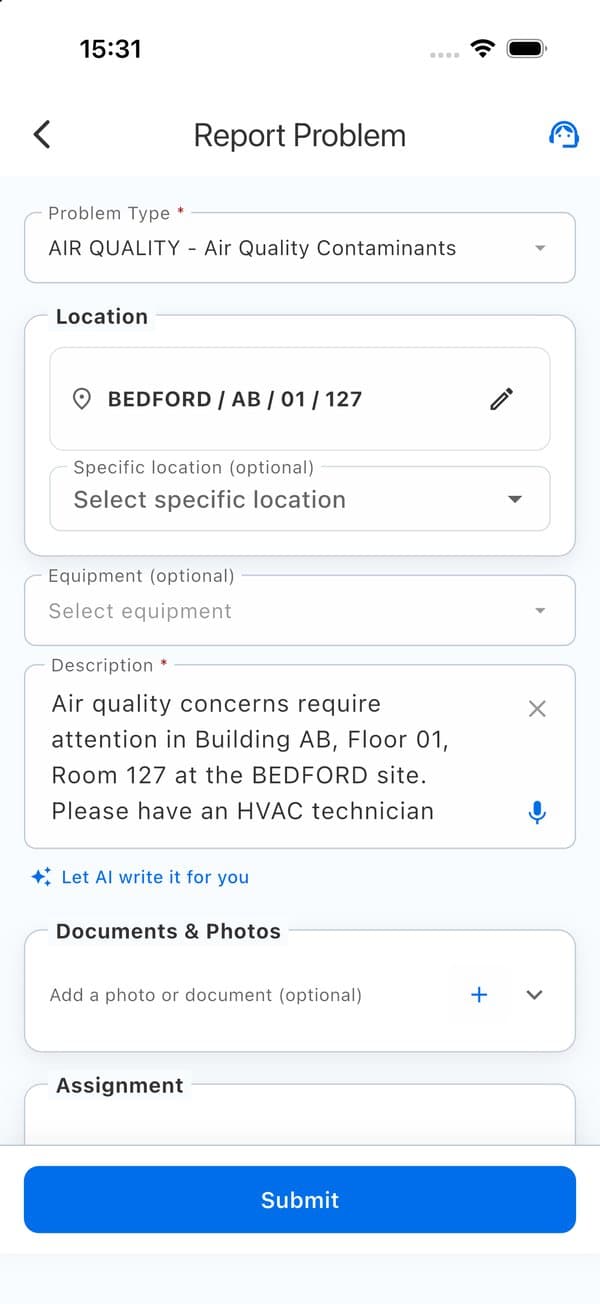
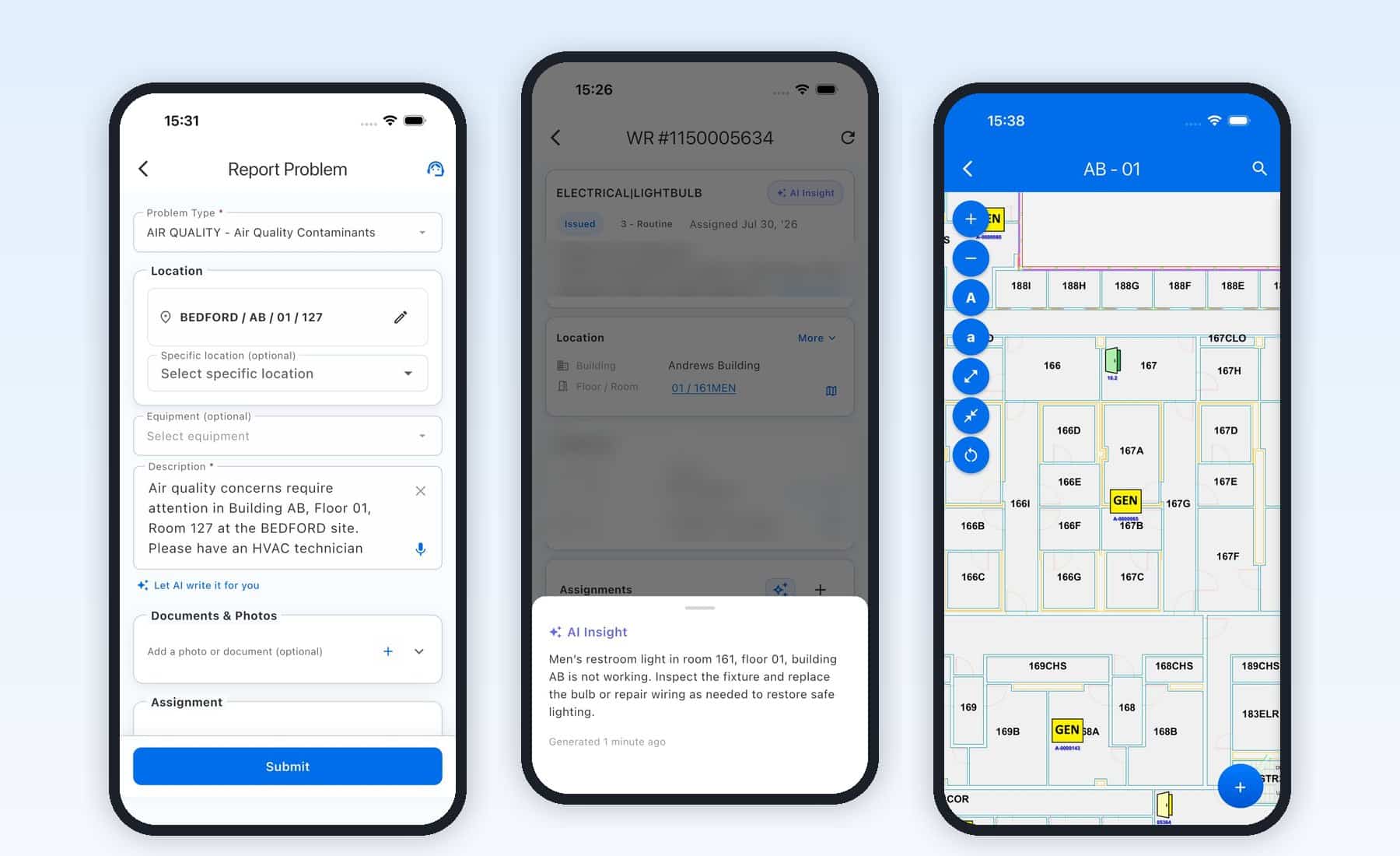
Pick a problem type and location, then let AI draft the description or dictate it. Add photos or documents and submit.
AI Insight and Smart Assignment
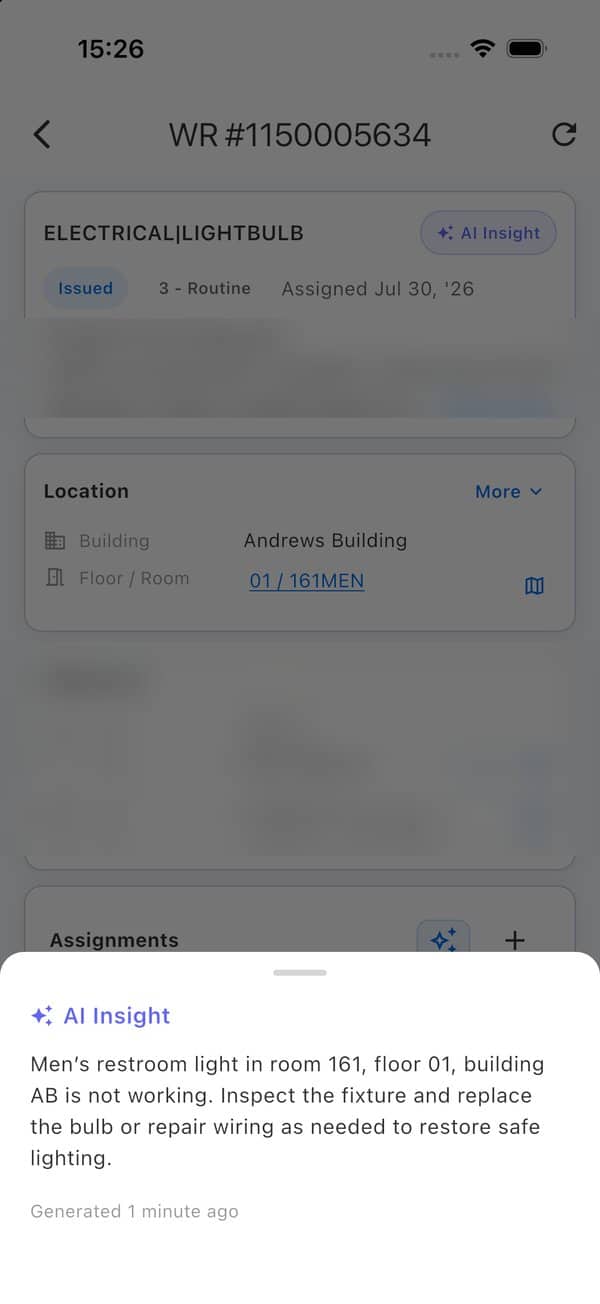
Get a summary and suggested next step for a request, plus assignment recommendations based on similar work history and current workload.
Field Execution
Open the room on the floor plan, link equipment and parts, complete checklists, log hours and finish your assignment from the job site.
Supervisor Command Center
See open, overdue and on-track work by team, with Hot List, Building Pulse and Workload Spotlight views, plus staff schedules and profiles.
Assets and AI-Assisted Surveys
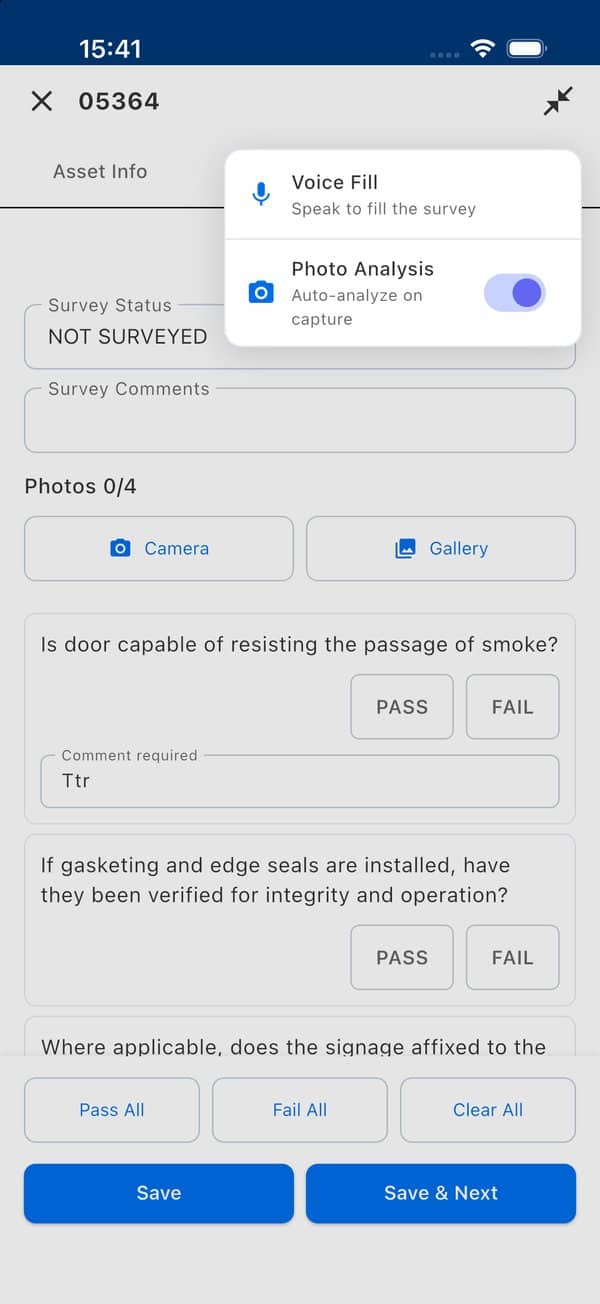
Browse assets by floor plan or list, update records and photos, and run condition surveys with Voice Fill and photo analysis.
Healthcare Compliance
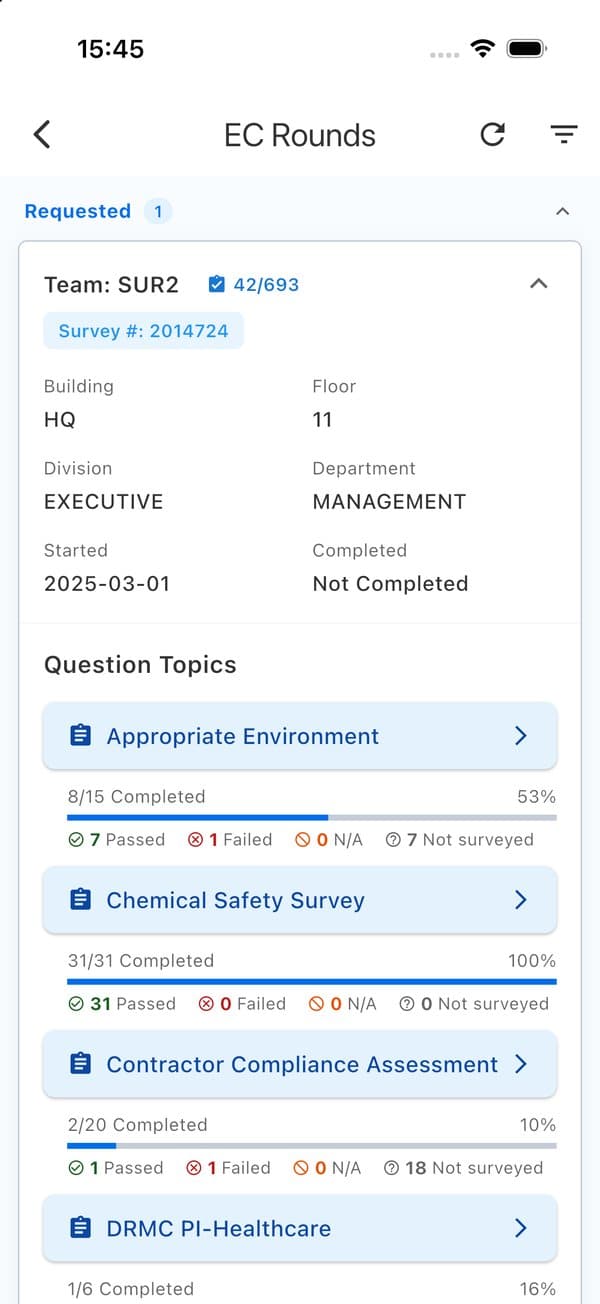
Manage permit questionnaires and approvals, and complete Environment of Care rounds with progress tracking and photo evidence.
Also included: parts inventory, fleet vehicle inspections, a space and employee locator, and configurable GIS and indoor wayfinding integrations.
Voice and image analysis features are optional. They may send data to third-party processors unless you deploy local versions of those models.
See IMS WorkForce in Action
Report a Problem in Seconds
Choose the problem type and confirm the location. Tap Let AI write it for you to draft a clear description, or dictate it. Review it, attach photos and submit.
Know What to Do Next
AI Insight summarizes the request and suggests a next step. Assignment recommendations show who has handled similar work and how busy they are. Your supervisors make the final call.
Ask IMS.ai
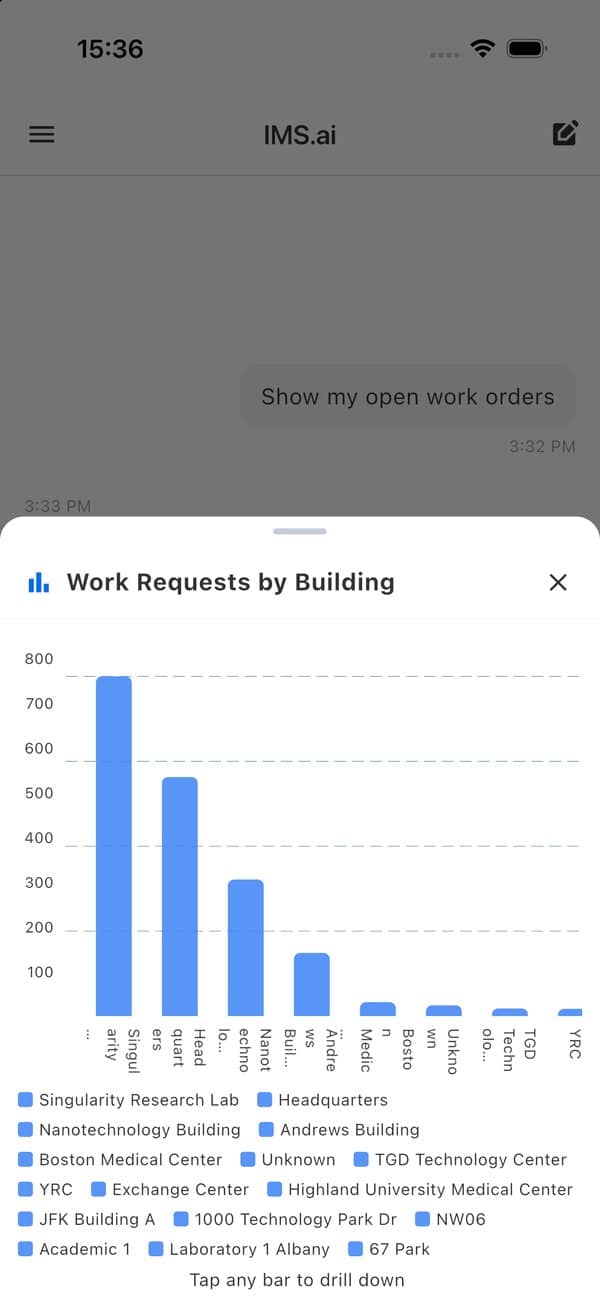
The IMS.ai tab answers questions about work and facilities in plain language and returns answers and charts. Start a voice call with an assistant for facilities and maintenance, or for space and planning.
Survey Assets Faster
Work through condition surveys asset by asset. Fill answers by voice or let AI analyze photos as you capture them, then review each suggestion before you save. When configured, a failed survey can create a linked work request with the photos attached.
Stay Ready for Healthcare Compliance
Route permit requests such as Hot Work through configured questionnaires and approvals, and complete Environment of Care rounds with Yes/No/N/A answers, comments, photos and live progress.